
Infantry Attack: War 3D FPS
VOODOOAction
4.66.56K Reviews
- Version
- 1.36.6
- Installs
- 10.00M
- Age Rating
- Teen
Screenshots
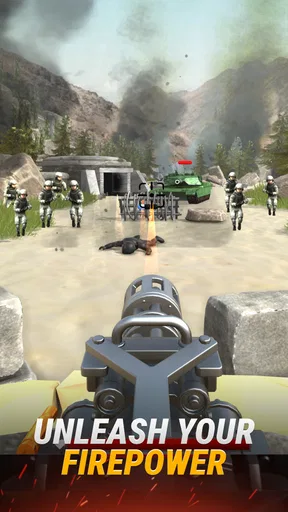
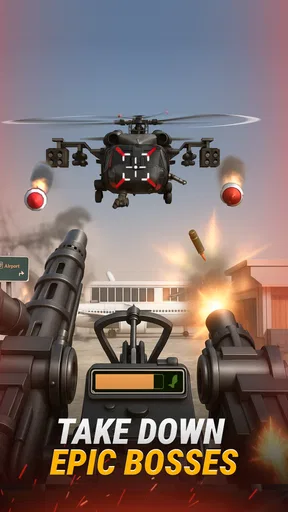
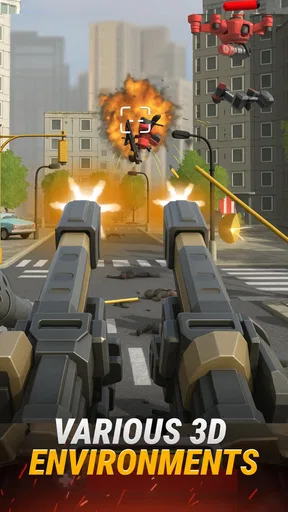
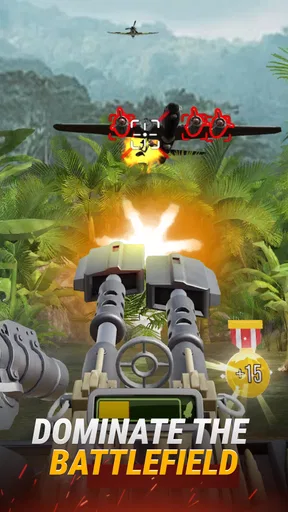
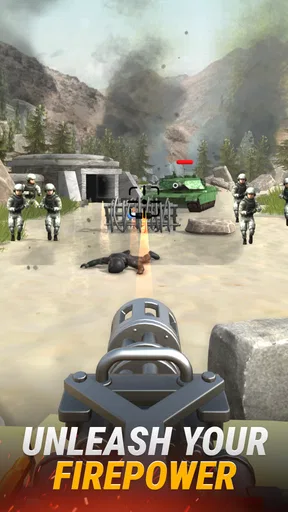
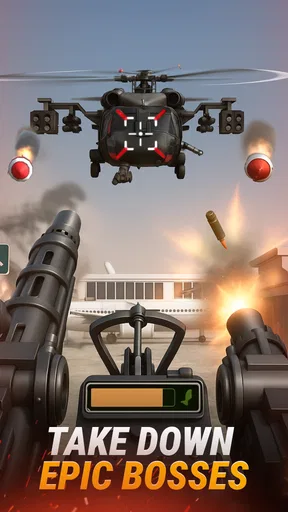
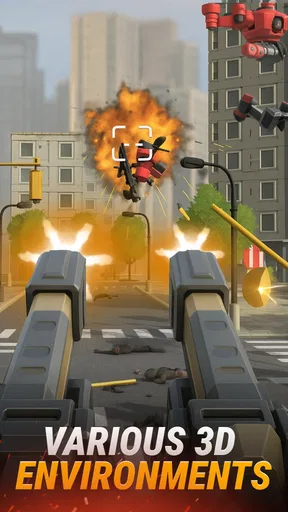
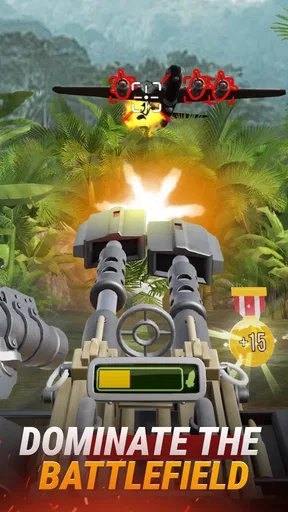
Our Review of Infantry Attack: War 3D FPS
 Analysis by Appyee
I approached Infantry Attack: War 3D FPS as a quick-action battlefield game rather than a deep military simulation. That distinction matters from the first few minutes. The appeal is immediate: move into a combat zone, aim at opposing soldiers, and try to survive each machine-gun encounter. It is built for short bursts of action, not for a long setup ritual or a complicated strategy session.
Developed by VOODOO, this free Android action game has attracted a 4.6 average from around 112 thousand ratings and passed 10 million installs. Those figures suggest that its straightforward format has found a broad audience. My own impression is that the game works best when I want something direct and easy to understand, especially when I have only a little time to play.
The Teen content rating is worth keeping in mind before installing it on a shared family device. It is also a relatively accessible option for compatible phones, requiring Android 8.0 or later. The current version is 1.36.6, so checking that the installation has completed properly is a sensible first step before judging the game itself.
Getting past the first points of friction
I look at the first few sessions as a chance to learn the rhythm, not as a test of reflexes. A steady grip and small, deliberate screen movements can make the action feel more manageable, while checking purchase controls is a sensible step on a shared phone. Once those basics are settled, the more useful question is whether this quick-battle format fits the way you like to play.
Why the opening can feel less clear than expected
The basic objective is simple, but simple does not always mean frictionless. A new player may understand that the goal is to win a gun battle while still needing a moment to get comfortable with movement, aiming, and the pace of incoming action. The first useful adjustment is to resist rushing. I found it easier to observe the battlefield for a few seconds, identify where the opposing soldiers are positioned, and then act instead of immediately dragging around the screen without a plan.
This is especially useful on a phone with a smaller display. Fast finger movements can cover the area I actually need to see, making it harder to track a target. A controlled swipe is usually more helpful than repeated, exaggerated gestures. If the controls feel unresponsive, I first check whether my finger is landing consistently in the intended area and whether the screen is clean. That sounds minor, but touch games can feel dramatically different when the device is being held at an awkward angle.
Players who expect a full first-person shooter with extensive weapon management may also need to reset their expectations. This is a compact action experience from VOODOO, with the emphasis placed on getting into the battle quickly. It is not the best match for someone looking for a detailed campaign, a large tactical map, or the depth of a traditional console shooter.
What I check before blaming the game
When a mobile game behaves oddly, I begin with the basics: enough free storage for the installation to finish, a stable connection during download, and a recent enough operating system. Infantry Attack: War 3D FPS supports Android 8.0 and newer, so an older device may be the first thing to check if installation or startup becomes troublesome. I also close other demanding apps before launching it, particularly when the phone has been running for a long time.
I avoid judging performance during the first seconds after opening the game. Phones sometimes need a moment to settle after an app launches, and background activity can make touch input feel inconsistent. If the game appears stuck, I close it fully, reopen it, and try again before taking more drastic action. This simple restart is often the cleanest way to separate a temporary launch problem from a repeatable issue.
Because the game is free to install, it is easy to try without committing money upfront. However, the presence of in-app purchases ranging from $0.99 to $47.99 per item means I would review purchase controls before handing the phone to a child. The Teen rating and the purchase range make that a practical household check, not an abstract warning. I would also avoid tapping purchase-related prompts casually when testing the game for the first time.
A better short-session routine
My most reliable routine is to play in a quiet, stable position rather than while walking or multitasking. A machine-gun battle depends on quick reactions, and a moving bus or crowded room makes small aiming errors more likely. I hold the phone with both hands, keep my thumbs relaxed, and use brief movements rather than trying to control everything with one dramatic swipe.
A realistic everyday use case is a short break between errands. I can open the game, play a few encounters, and stop without needing to remember a complicated story or rebuild a long strategy. That convenience is one of its strongest qualities. On the other hand, if I am looking for a game to occupy a full evening with evolving tactics and a rich sense of progression, I would choose a more substantial shooter instead.
Another useful habit is to treat each failed attempt as a control check before treating it as a skill failure. Did I move too far while trying to aim? Did I lose sight of the battlefield because my swipe was too wide? Did I start firing before I had a clear target? These questions turn frustration into something actionable. The game rewards calm screen handling more than frantic tapping.
Recovering when a session goes wrong
If a battle suddenly feels unresponsive, I first pause my own inputs rather than continuing to tap. Repeated touches can make it difficult to tell whether the problem is a delayed response or simply an accidental series of commands. I then exit the current session in the normal way if possible and relaunch the game. Restarting the phone is a reasonable next step if other apps are also behaving slowly, because that points toward a device-level issue rather than this particular title.
I would not immediately uninstall after one failed launch. A single interruption can come from a temporary connection problem, a crowded device, or an incomplete update. Since the game is currently at version 1.36.6, I would also check that the installed version is not waiting for an update through the normal app store process. Keeping the operating system and app installation in a stable state removes avoidable variables.
If progress or a session does not appear as expected, I would avoid repeatedly reinstalling until I had considered what might be lost locally. Reinstallation is a last resort for me, not a first troubleshooting step. I prefer to close the game, restart the device, check the connection, and try again. Those actions are safe, general recovery steps and do not assume a particular cause.
There is also a practical difference between a crash and a disappointing round. A crash, frozen screen, or failure to open deserves troubleshooting. Losing a firefight because I moved into view too quickly is part of the game. Separating those two experiences helped me evaluate it more fairly. The title is designed around immediate combat, so some failed attempts are expected rather than evidence that the installation is broken.
When the device or environment is the real problem
Not every rough session is caused by the game. A phone that is nearly full, overheating, running many apps, or using an unstable network can make any action title feel worse. I pay attention to whether the problem happens only in Infantry Attack: War 3D FPS or across other games as well. If several apps are slow, the sensible response is to improve the phone’s general condition before focusing on this one.
Touchscreen accessories can matter too. A thick or poorly fitted screen protector may reduce the accuracy of quick gestures, while damp fingers can make swipes inconsistent. I get more reliable control by cleaning the display and playing with the phone held firmly. These are not glamorous solutions, but they are more useful than assuming that every missed movement reflects a flaw in the game.
Connection quality can also affect the experience around launching or loading. If the game opens normally after switching to a steadier connection, I would not describe that as a permanent gameplay problem. I would instead retry later or from a more reliable network. The same principle applies to updates: an interrupted download can leave an app in an awkward state even when the game itself is functioning correctly.
Device age is another consideration. Android 8.0 compatibility makes the game available to a wide range of phones, but compatibility does not guarantee identical performance on every model. Older hardware may handle the action less smoothly than a newer device. If the game consistently struggles while other apps run normally, I would lower my expectations for that phone or test it on a more capable device before deciding whether the title suits me.
How it compares with other mobile action games
Compared with large, competitive mobile shooters, this game is easier to approach. I do not need to learn a broad inventory system or spend a long time preparing a loadout before seeing the central action. That makes it appealing to casual players and to anyone who wants a quick battlefield challenge without the commitment associated with a more elaborate multiplayer game.
The trade-off is depth. A bigger shooter usually offers more room for long-term mastery, team coordination, map knowledge, and personal customization. Infantry Attack: War 3D FPS is better understood as a focused action game: its strength is immediacy, while its weakness is that players seeking a wide tactical sandbox may find the experience narrow.
It also differs from slower strategy games. Here, success depends more on reacting to visible threats and handling touch controls than on carefully managing a base or planning a campaign across a large map. I would recommend it to someone who enjoys the feeling of a quick firefight. I would steer a strategy fan toward a game built around resource decisions, because this title does not appear designed to replace that kind of experience.
Likewise, fans of story-driven shooters should approach it cautiously. The store summary focuses on attacking and defeating soldiers on the battlefield, and that emphasis matches my experience of its appeal: the encounter itself is the point. If I want character development, a detailed narrative, or a cinematic journey, I would look elsewhere. If I want a direct action loop with little explanation, this is a more suitable choice.
Who will enjoy it, and who should skip it
I think the game is a good fit for players who prefer clear objectives, quick rounds, and touch-based action that can be understood without a long tutorial. It suits a short commute break, a few minutes before bed, or a casual session when I do not want to manage a complicated game world. Its free entry point also makes it easy to test before deciding whether it deserves space on the phone.
I would be more cautious recommending it to younger players because the content rating is Teen and individual purchases are available. For a family device, I would set up purchase safeguards before letting someone play independently. That is particularly important because the available purchase amounts extend from small optional items to a much larger single-item price.
Players should skip it if they dislike repeated battlefield encounters, have little patience for touch-control adjustment, or want a deep competitive ecosystem. It is also not my first recommendation for someone with a very old or heavily loaded phone. In that situation, a lighter action game may provide a smoother experience, while a full-scale shooter may be a better choice on stronger hardware.
My practical verdict after using it
Infantry Attack: War 3D FPS succeeds by keeping its purpose visible. I open it for action, not for a lengthy story or a complex military simulation, and that focus makes it easy to return to. The 4.6 average and more than 10 million installs reflect broad interest, but the real question is whether its compact format matches the way I want to play.
My advice is to install it with realistic expectations, check Android compatibility, give the controls a calm first session, and troubleshoot the phone before assuming the game is at fault. Keep an eye on the Teen rating and in-app purchases, especially on a shared device. If you enjoy short machine-gun battles and want something immediately understandable, I can recommend giving it a try.
My final recommendation is conditional but positive: choose it for fast, uncomplicated battlefield action, not for the depth of a major shooter. Its biggest strength is convenience, while its main limitation is the same thing: the focused format may feel too narrow once the novelty of quick encounters wears off. For a casual Android action game from VOODOO, it is an accessible option, provided the device, expectations, and purchase settings are all in order.
Verdict
Strengths of Infantry Attack: War 3D FPS
- Fast-paced FPS gameplay with short, action-packed missions.
- Simple controls make aiming and movement easy for mobile players.
- Varied weapons provide different approaches to combat situations.,3D battlefields create a more immersive war-game atmosphere.
- Playable missions are suitable for quick gaming sessions.
Limitations of Infantry Attack: War 3D FPS
- Enemy behavior can feel predictable after extended play.
- Some missions may become repetitive over time.
- Progression can feel slow without optional purchases.
- The game may require significant storage and device resources.
- Frequent combat effects can drain battery quickly.
Other Releases by VOODOO
View All


Similar Picks in This Category
View All
Temple Run 2: Endless Escape
Imangi Studios4.1

PUBG MOBILE
Level Infinite4.3

Free Fire: 9th Anniversary
GARENA INTERNATIONAL I4.4

Talking Tom: Hero Dash Run
Outfit7 Limited4.3

slither.io
Lowtech Studios3.9

Sniper 3D:Gun Shooting Games
Wildlife Studios4.6
Frequently Asked Questions
What is Infantry Attack: War 3D FPS?
Infantry Attack: War 3D FPS is a mobile first-person shooting game focused on fast military combat. You take control of a soldier, move through battlefield environments, eliminate enemy units, and complete mission-based objectives. The game is designed for short, action-heavy sessions, making it suitable for players who want a straightforward war shooter rather than a complex tactical simulator.
How does the gameplay work?
Gameplay combines first-person aiming, shooting, movement, and mission progression. In most stages, you advance through a combat area, engage enemies, and clear specific objectives before reaching the end of the level. Controls are generally adapted for touchscreens, with virtual movement and aiming controls. Repeated missions may follow familiar patterns, but the simple format makes the game easy to learn.
Does Infantry Attack: War 3D FPS require an internet connection?
The connection requirements can vary depending on the version installed and the features currently offered by the developer. Core missions may be playable offline on some devices, while advertisements, progress synchronization, updates, or other online services can require internet access. It is best to launch the game once while connected and check its in-game requirements before relying on it for completely offline play.
Is Infantry Attack: War 3D FPS free to download and play?
Infantry Attack: War 3D FPS is generally offered as a free download, allowing players to install and try the main gameplay without paying upfront. However, free mobile games may include advertising, optional purchases, or upgrade systems. Before downloading, review the store listing and permission details, especially if the device will be used by children or if you want to avoid unexpected in-app spending.
Is the game suitable for all ages and devices?
Because Infantry Attack: War 3D FPS presents military combat and shooting, it may not be appropriate for younger children, even though the visual style can be relatively simple. Device compatibility also depends on the operating system, available storage, memory, and graphics performance. Players should check the official Android or iOS store page for the current age rating and minimum requirements before installing.
Play our best games!


